AI for creating inclusive educational materials lets teachers adapt worksheets, stories, presentations and revision exercises to each student’s level, language and needs in minutes, with no coding required. It works from Early Years to Upper Secondary and Vocational Education (VET), as long as the teacher reviews the output before using it in class.
This guide explains how to use artificial intelligence to create educational content that is inclusive, engaging and easy to follow. You’ll learn which types of tools exist, how to choose the one that fits your classroom, and how to design accessible materials step by step.
For two years, Smile and Learn has been helping teachers and schools create educational content with AI quickly and safely through AInara, its generative AI for education. Throughout this article you’ll see how its focus on inclusion and time-saving works in practice.
Key takeaways
- AI makes it possible to design materials adapted to each student’s pace and needs, from Early Years to Upper Secondary and VET.
- The right AI tool depends on the format you need: worksheets, videos, quizzes, presentations, Easy Read, interactive activities, subtitles or learning situations.
- Good inclusive material offers accessibility options such as subtitles, cognitive adaptation, different language levels and adapted voice-overs.
What is educational artificial intelligence?
Educational AI is a set of technologies that analyse learning data to adapt content, generate resources and give instant feedback. This means every student can receive activities matched to their level, without you having to create dozens of different versions for each group.
Its relevance is growing because current curricula call for attention to diversity and personalised learning. According to UNESCO, AI applied to education can help reduce access gaps and improve learning outcomes when used responsibly, both with younger children and with more autonomous learners.
Unlike a traditional textbook, a generative AI tool lets you create a resource tailored to your group’s profile in minutes. That makes lesson preparation faster and better matched to the real needs of your classroom.
What types of educational AI tools are there?
Before choosing a tool, it helps to understand the main categories. Each one solves a different day-to-day classroom need.
Interactive and printable activity generators
These tools create exercises, reading worksheets or interactive quizzes from instructions in plain language. You describe what you need, from a vocabulary worksheet for young learners to a case study for older students, and the AI generates a ready-to-use resource.
They are useful for quick revision material or reinforcement activities for different levels in your class, without spending hours on layout.
Lesson planning and sequencing tools
These solutions help you design lesson plans, teaching sequences, learning situations or thematic units aligned with the curriculum. The AI suggests objectives, activities and assessment criteria based on the content you specify.
They are especially valuable at the start of a term or module, when you need to organise several weeks of content in a short time.
All-in-one AI content platforms
They combine several AI engines, personalisation options and output formats in a single environment, so you don’t have to jump between different apps for each task.
AInara is a clear example. It integrates and optimises the best available AI models to generate texts, audio, quizzes, images, subtitles, translations, presentations and learning situations from a single tool, with a bank of resources validated by Smile and Learn’s education team and designed to adapt to any educational level.
How do you choose the right AI tool for your classroom?
Not every tool fits every context or every age group. Before deciding, review these key criteria to save time and frustration.
Define your teaching goal
Ask yourself what specific problem you want to solve, and for which age group. Do you need adapted reading worksheets for Early Years? A formative assessment for lower secondary students? Resources for students with special educational needs (SEN) at any level?
A clear goal narrows the options and stops you from investing time in tools that don’t cover your real need.
Check accessibility and inclusion
A truly inclusive tool should let you adjust the language level, text length, image complexity and degree of cognitive accessibility of the content you generate, adapting it equally to a young child and to an upper-secondary student.
AInara lets you customise every generated resource, including voice type, speed, text length, language level and image complexity, so each student receives material that suits them.
Review technical compatibility
Check that the tool lets you export resources to other platforms or to the LMS your school already uses. AInara makes this easy by letting you export generated materials directly to other environments in different formats.
How do you create inclusive materials with AI, step by step?
Creating an inclusive educational resource with AI doesn’t require advanced technical knowledge. Follow these steps to design your first adapted material.
Step 1: Identify your group’s needs
Before opening any tool, make a quick map of your classroom. How many reading or ability levels coexist? Are there students with visual, hearing or motor difficulties? Which languages do they speak at home? How independent is the group, given their age?
This initial snapshot will help you decide which accessibility options to switch on and which formats work best for each group.
Step 2: Choose the tool and the format
Choose between an interactive worksheet, an Easy Read text, a quiz or an interactive activity, depending on the session’s goal and your students’ age.
AInara, the generative educational AI developed by Smile and Learn, lets you create audiobooks, presentations, interactive activities, podcasts, self-marking and printable assessments, stories and comics from one environment, in more than 20 languages, adapting the result to any level.
Step 3: Write clear instructions for the AI
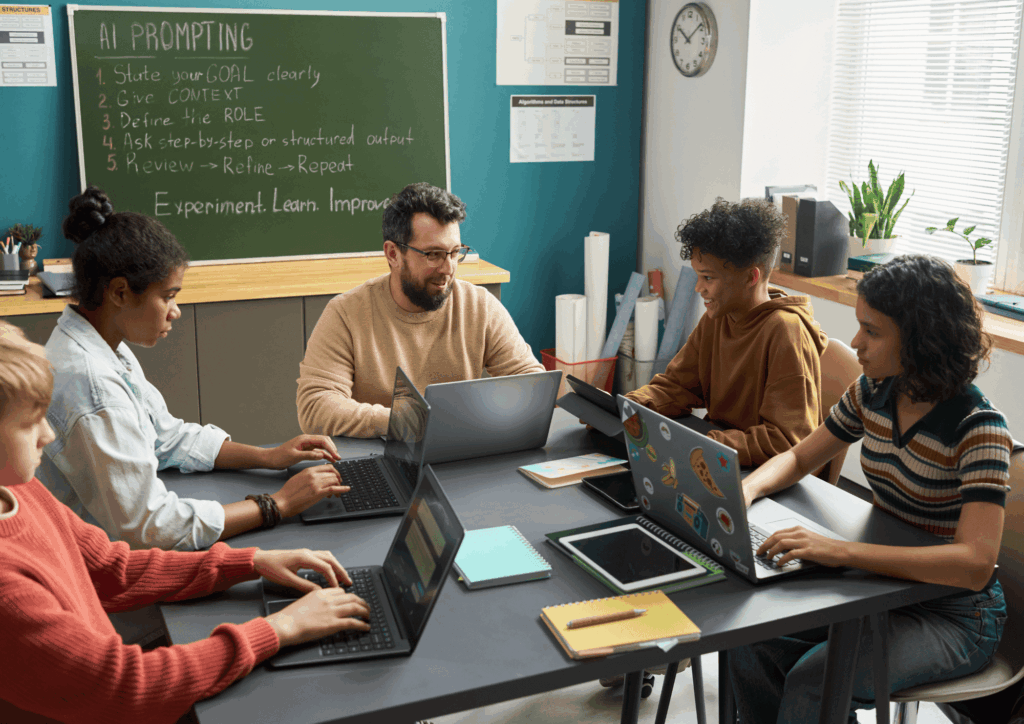
The quality of the material depends on the instructions you give the tool, and this is the hardest part for many teachers. Describe the topic, the year group or stage, the learning objective and the adaptations you need. The more specific your request, the better the result.
With AInara this step is simple because you don’t have to write prompts yourself. It offers shortcuts with predefined menus, so you don’t need to master each AI engine separately. You just choose from the dropdown options, and Smile and Learn’s team has already written detailed prompts for you.
Step 4: Review and adapt the result
No AI produces a perfect resource on the first try. Check the accuracy of the content, the level of vocabulary or complexity, and how well it fits your students’ needs and age group. If something doesn’t fit, adjust your instructions and generate again.
AInara leaves room for teacher judgement at every stage: you can let the process run fully automatically or guide it step by step and manually edit what the AI returns. Because the judgement belongs to the teacher.
Step 5: Share and collect data
Publish the resource on the platform you use with your students, or export it directly from AInara to your LMS. Once students have completed it, check the tracking data to see who needs extra support and in which specific areas.
How do you make sure AI-created materials are inclusive?
Inclusion isn’t an extra, it’s a requirement. Any material you create with AI must be accessible to all students, regardless of their abilities or age.
Universal Design for Learning (UDL)
The UDL framework proposes offering multiple means of representation, action and expression, and engagement, and it applies at every stage of education. When you use AI, turn these principles into concrete actions: add audio to texts, offer exercises at different levels and allow different ways of responding.
AInara follows this logic by generating the same content in different formats (text, audio, image, subtitles) and adjusting the cognitive accessibility of each resource to students’ specific needs.
Language adaptation for multilingual classrooms
In many classrooms, students speak different languages at home. AI can generate the same activity in several languages: AInara translates and adapts materials into more than 20 languages, supporting language immersion without creating resources from scratch for each language.
Support for special educational needs (SEN)
AInara lets you create accessible resources designed to support learning diversity, adjusting variables such as language complexity or visual content for each student profile and stage.
What role do learning situations play in personalisation?
Learning situations (a concept from the Spanish curriculum) are sequences of activities organised around a goal, topic or competence, which bring resources and assessments together in one teaching thread. They are useful at any stage of education.
AInara lets you design these learning situations by combining AI-generated texts, images, audio and quizzes, so you can spend more time on a specific area, such as extra Maths practice in primary or a cross-curricular project in secondary, without building each resource separately. This frees up teacher time and makes sure each student gets the practice they need.
Because it is designed for collaborative work, several teachers in the same school, across different stages or cycles, can create and share a common bank of resources aligned with the school’s educational project.
What mistakes should you avoid when using general-purpose AI for educational materials?
Even with the best general-purpose tools, such as ChatGPT, Gemini, Claude or Copilot, there are common mistakes worth avoiding to get the most out of AI in the classroom.
Trusting the output without checking it
AI can produce incorrect information or vocabulary that is inappropriate for students’ age. Always review content before sharing it in class, adjusting it to the level of the year group and the relevant curriculum. Your professional judgement remains irreplaceable.
Creating resources in only one format
A topic is better understood when approached from different angles: an introductory audiobook, a practice worksheet and a revision quiz. Limiting everything to text worksheets reduces the inclusive reach of your material.
What are the best practices for bringing AI into everyday teaching?
Bringing AI into the classroom isn’t a one-day project. It’s a gradual process that works best when you follow clear guidelines.
Start with a small group of teachers
Don’t try to change everything at once. Choose a small group of teachers to start generating AI resources for their subjects. Once they’ve mastered the tool and its workflow, extend its use to other teachers, subject areas and year groups.
Train your teaching team
AI works best when the whole team knows the tools. Organise short training sessions and share the activities you create so other teachers can reuse them. AInara is designed for collaboration between teachers in the same school, with predefined menus that let any teacher get started in a few minutes.
Conclusion: how to take the first step with AI in your classroom
AI for creating educational content is no longer a thing of the future, nor is it limited to one stage of education. It is an accessible reality for any teacher, from Early Years to Upper Secondary or VET, who wants to offer more inclusive and personalised learning.
Start by identifying one concrete need in your classroom, choose a tool that solves it and create your first adapted resource. Measure the results, adjust and repeat. With every cycle, your teaching practice will become more precise and your students will get a learning experience better suited to their needs.
If you are looking for a tool that brings together multiple AI engines, personalisation, accessibility and pedagogical rigour in one place, AInara lets you generate that content in minutes, with the assurance of educator oversight.
Frequently asked questions
Do I need to know how to code to use AI in the classroom?
No. Today’s educational AI tools work with plain-language instructions: you describe what you need and the tool generates the resource. AInara also offers menus with predefined shortcuts, so you don’t have to learn how to write instructions for the different AI engines.
How do I know if AI-created material is truly inclusive?
Inclusive material lets you adjust the language level, text length, image complexity and degree of cognitive accessibility. AInara includes these customisation options in every resource it generates, plus translation into more than 20 languages.
Can AI replace teachers in creating content?
No. AI speeds up the production of resources, but your professional judgement is essential to check quality, level and accuracy. AInara is designed around that balance: it always requires teacher validation, so you can review and manually adjust what the AI generates.
How can I measure whether the materials are working?
Integrate the tool with your school’s LMS to get personalised recommendations and progress tracking. AInara supports this through export in different formats.
What is the difference between an all-in-one platform and a single-purpose tool?
A single-purpose tool solves one specific task: creating a worksheet, generating a video or building a quiz. An all-in-one platform like AInara combines multiple AI engines (text, audio, image, subtitles, translation, quizzes) and delivers them in different teaching formats from one environment, adapting to each year group and educational need, which simplifies your daily workflow.
![DIPTICO_AINARA_2024 [Recuperado]-18](https://www.ainara.education/wp-content/uploads/2024/11/DIPTICO_AINARA_2024-Recuperado-18-993x1024.png)